The most basic and common report mechanism the Verisoft framework provides is the Extent Report module.
The module is a free-to-use module. For convenience, the framework does not rely on external CSS configuration and applies generated built-in CSS files.
In order to use the report, simply annotate @ExtentReport above the class.
That’s it! Start writing to the report using the Report object.
At the end of the execution, a folder named Target will be created. It will hold, among other stuff, the following folder structure:
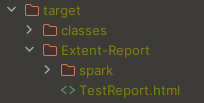
The spark folder holds the CSS files, and the TestReport.html is the actual report:
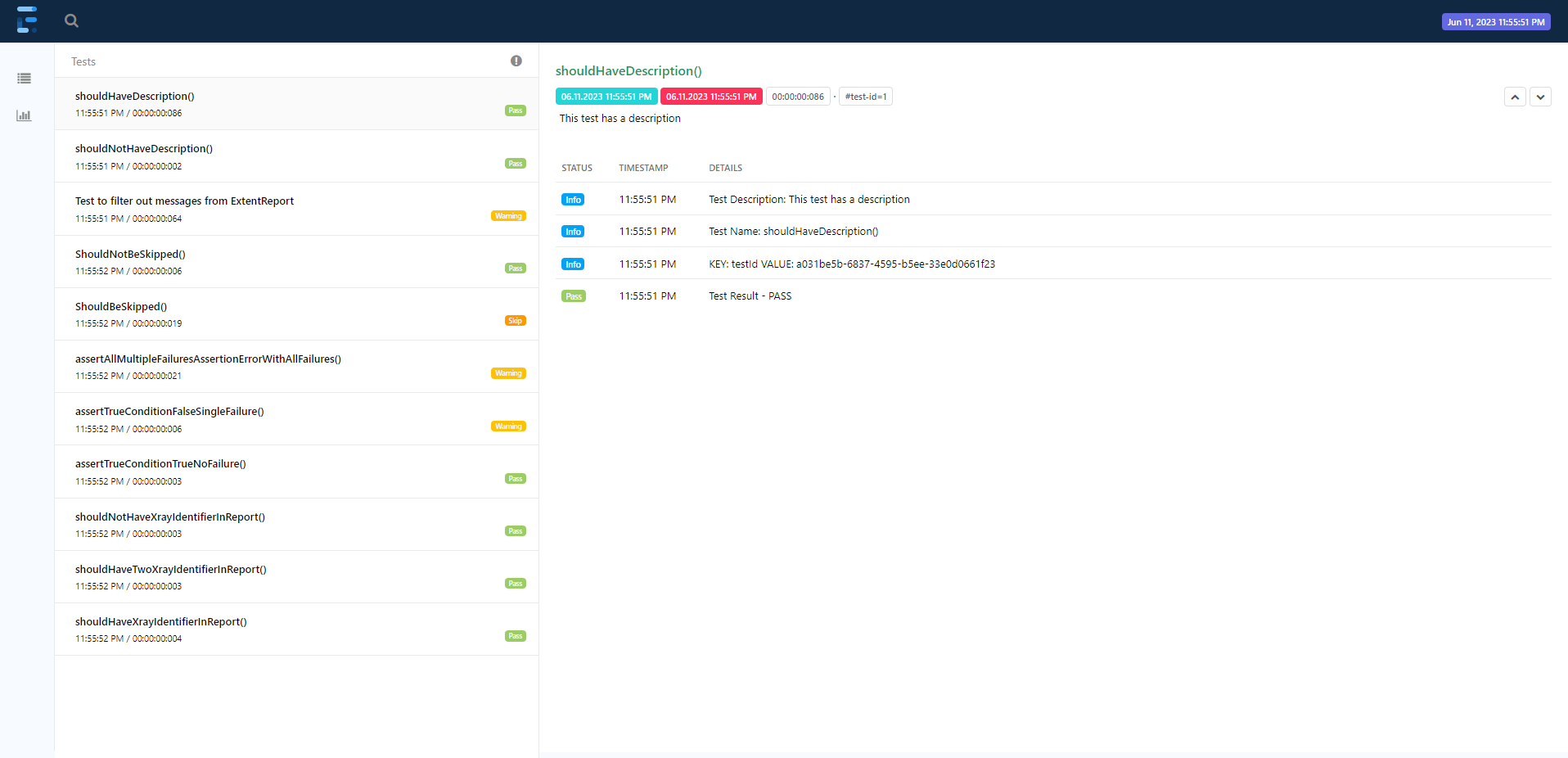
- In order to change the test name (on the left) to a meaningful name (not the method name) simply use the
@DisplayNameannotation like this:@DisplayName ("My meaningful Test Name") - In order to change the test description:
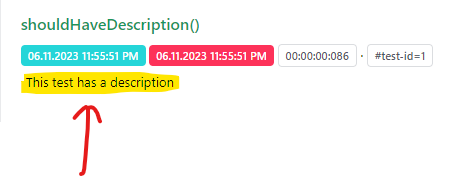
simply use the @Description("This test has a description")annotation.
So, in the end, you will have something that looks like this:
@Test
@DisplayName("My meaningful Test Name")
@Description("This test has a deescription")
public void someTestName(VerisoftDriver driver){
    Report.info("Some Report Data");
    Asserts.assertTrue(false, "Should fail")
}